Your Garden Doesn't Check the Weather — But Your App Should
You spent three weekends building raised beds. You started seeds indoors in March. You transplanted your tomatoes, peppers, and basil into the garden on what felt like a perfectly warm Saturday in late April. By Tuesday morning, the temperature has dropped to 31°F. Everything you planted is dead or damaged.
A single late frost can wipe out an entire season of work in a single night. Frost occurs when temperatures fall to or below 32°F, and even a brief dip to 36°F can damage tender crops like tomatoes, peppers, cucumbers, and basil [1]. The problem isn’t that the information is unavailable — it’s that nobody checks a frost forecast at 10 p.m. on a Tuesday in April. By the time you notice the damage, it’s already done.
This is the exact problem DwellPulse’s new weather integration was built to solve.
Why Frost Dates Alone Aren’t Enough
Every garden planner tells you to look up your frost dates. The Old Farmer’s Almanac, the USDA, and dozens of seed company websites will give you the average date of the last spring frost and first fall frost for your zip code [2]. DwellPulse already uses these dates to generate planting calendars and schedule garden tasks.
But frost dates are averages — based on 30 years of historical data from NOAA. They tell you the probability of frost on a given date, not whether frost will actually happen tonight. A “50% probability” last frost date of April 15 means that in half of all years, frost occurs after April 15. That’s not reassurance — it’s a coin flip.
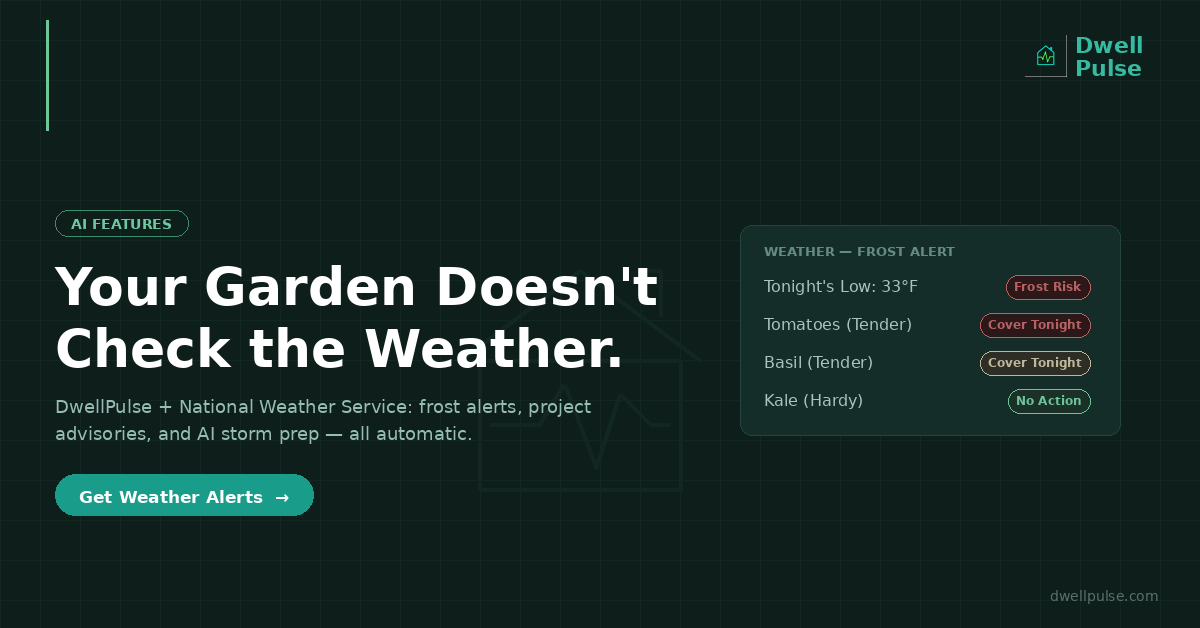
What gardeners need is not a historical average. They need a real-time forecast that says: “Tonight’s low will be 33°F at your property. Your tomatoes, peppers, and basil are frost-tender and currently in the ground. Cover them or bring them in.”
That’s exactly what DwellPulse now delivers.
How the National Weather Service Integration Works
DwellPulse now connects directly to the National Weather Service — the same data source used by every weather app, news station, and emergency management system in the United States. The integration covers practically every location in the country [3].
Here’s what happens behind the scenes:
When you add a property, DwellPulse calls the NWS /points endpoint using your property’s coordinates. This maps your specific location to an NWS Weather Forecast Office and grid cell — the same grid that produces your local forecast.
From there a scheduled function fetches the current 7-day forecast , the hourly forecast, and any active weather alerts for your property’s county zone. The results are stored and analyzed to see how the weather may impact not only your gardening efforts, but also any in-progress projects.
Garden Frost Alerts That Know What You’re Growing
This is where the integration gets specific to your garden.
When the hourly forecast shows an overnight low at or below 36°F in the next 72 hours, DwellPulse doesn’t just flag the temperature. It cross-references the forecast against every crop you have in the ground — checking each plant’s frost tolerance rating from the built-in plant database.
Tomatoes, peppers, basil, cucumbers, and squash are classified as “tender” — they can be damaged or killed by a light frost. Lettuce, kale, spinach, and broccoli are “hardy” — they can tolerate freezing temperatures and may actually taste better after a light frost. Carrots, onions, and garlic are somewhere in between.
If any of your active, in-ground crops are frost-tender and a frost is in the forecast, DwellPulse generates a notification naming the specific crops at risk, the expected low temperature, and the night it’s expected. It also creates a garden calendar event marked as a frost warning, so the alert appears in your planting calendar alongside your other garden events.
The notification isn’t generic. It’s specific: “Frost risk tonight (low of 33°F) — your tomatoes, peppers, and basil in the Backyard Garden are vulnerable. Consider covering or harvesting.”
Project Weather Advisories for Outdoor Work
The same weather data protects your home improvement projects. If you have an active outdoor project — deck staining, exterior painting, roofing, landscaping, concrete work, fencing — and the forecast shows rain in the next 72 hours or wind exceeding 25 mph in the next 24 hours, DwellPulse surfaces a weather advisory on the project.
The advisory appears as a colored bar on the project detail view, referencing the specific forecast condition: “Rain expected Thursday–Friday — your Deck Staining project may be affected. Consider rescheduling outdoor work.”
This isn’t a push notification you have to dismiss every hour. It’s a quiet, context-specific flag that appears where you’re already looking — on the project you’re already managing. One advisory per project per 24-hour period, so it informs without spamming.
AI Weather Task Recommendations for Severe Events
When severe weather hits — a winter storm warning, tornado watch, hurricane advisory, flood warning, excessive heat advisory, or similar high-impact event — DwellPulse goes a step further.
The system detects the new severe alert from the NWS feed and triggers the AI Weather Task Recommendation engine. This is not a generic checklist. The AI analyzes the specific alert (type, severity, timing, expected conditions), your property details (heating system, number of stories, equipment like generators or snow blowers), your active gardens (what’s in the ground, what’s frost-tender), and your active outdoor projects — then generates a set of actionable preparation tasks tailored to your situation.
For a winter storm warning with 8–12 inches of snow expected, a homeowner with an outdoor garden and no generator might see tasks like: stock emergency supplies (water, food, flashlights, medications), prepare ice and snow removal equipment, protect pipes from freezing (open cabinet doors, slow-drip faucets, know your main shut-off location), cover frost-sensitive garden beds with frost cloth, and charge all devices in case of a power outage.
A homeowner with a generator listed in their equipment inventory would see a different set — including verifying the generator’s fuel level and running a test start.
These tasks are created as real, actionable items in your normal task list — not a pop-up you dismiss. Each one is tagged as weather-generated so you can see it came from the alert, and each links back to the specific NWS advisory that triggered it. Complete the ones that apply, dismiss the ones that don’t.
Weather on Your Dashboard
The integration surfaces weather data in four places, all built into existing views — no separate weather app to check.
Dashboard weather card — current temperature, today’s high/low, 3-day outlook, and a prominent alert banner if a severe weather event is active for your property.
Property view — the full 7-day forecast with detailed period forecasts, plus any active NWS alerts displayed with severity color coding (red for extreme/severe, yellow for moderate, blue for minor).
Garden view frost banner — a persistent banner at the top of your garden page when frost risk is detected in the next 72 hours, with a tap-to-expand view showing which specific crops are at risk.
Project details advisory — a weather bar below the project header for any outdoor project when rain or high wind is forecast.
Why This Matters More Than You Think
The financial cost of a late frost to a home gardener isn’t just the price of replacement seedlings. It’s the four to six weeks of growing season you lose while the replacements catch up — which often means the difference between a productive summer harvest and a garden that never quite hits its stride.
For homeowners, the cost of being caught off-guard by severe weather is measured in burst pipes, water damage, roof damage, and ruined outdoor projects. The average water damage claim from frozen pipes is nearly $14,000 [4]. A deck stained the day before an unexpected rain needs to be stripped and redone. Concrete poured before a freeze cures improperly and cracks.
None of these outcomes require a weather degree to prevent. They require timely, specific information delivered at the moment you can act on it — not a generic weather app that doesn’t know you have tomatoes in the ground or a deck project halfway done.
How DwellPulse Helps
DwellPulse’s NWS integration turns weather data from something you have to go check into something that checks on you. Frost alerts that know what’s in your garden. Project advisories that know what you’re building. AI-generated prep tasks that know what’s in your house. All powered by the same free, public National Weather Service data your local news uses — refreshed every hour, specific to your property’s exact location, and tied to the assets, gardens, and projects you’re already tracking.
[
Get weather-smart home management →](https://app.dwellpulse.com)
Sources: [1] Husqvarna, “Frost Date vs. Freeze Date: Key Differences Every Gardener Should Know,” March 2025, noting frost can harm plants at 36°F and below. [2] The Old Farmer’s Almanac, “First and Last Frost Dates by ZIP Code,” 2026, frost date calculator using NOAA 30-year climate data. [3] National Weather Service, api.weather.gov — free public API, no API key required, ~2.5km grid resolution, U.S. coverage. [4] Insurance Information Institute via industry reports, average water damage and freezing claim ~$13,954.
*Writing assisted by AI
Ready to take control of your home?
DwellPulse is free to start — track maintenance, projects, appliances, and your garden all in one place.
Start Free Today →